
Product
One app. Every job covered.
CloudCastle stops attacks, blocks scam email, and keeps your computers updated. It backs up your files with free product support from a real person.
Why it works better
Built on AI, not on a list of known threats
Legacy security tools compare what they see against a catalog of attacks somebody has already found and named. Anything newer than the catalog walks straight past, and a human still has to clean up afterward.
How older tools work
- Recognizes threats already cataloged, and little else
- A brand-new attack gets through until the catalog is updated
- Raises an alert, then waits for a person to act on it
- Security, updates, and backup are three products and three bills
- Someone has to read the alerts for any of it to matter
How CloudCastle works
- Judges software by how it behaves, so unknown attacks still stand out
- Stops ransomware mid-run and restores the files it touched
- Carries out the fix itself, then records exactly what changed
- Security, updates, backup, and remote help in one app
- An American technician can take over whatever the AI cannot finish (add-on)
What's inside
Everything is covered
One app does all of this, on every computer.
Security
We stop attacks
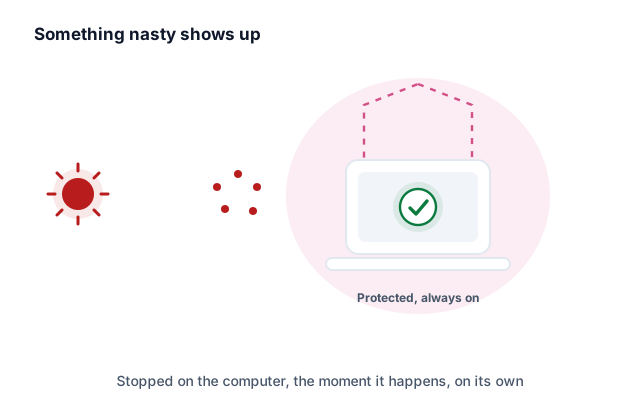
CloudCastle watches every computer and blocks malware and ransomware before it can run.
- Judges programs by how they behave, so brand-new attacks still get caught
- Scans stay under 1% of your computer’s power
- Stops an attack mid-run, not after the damage is done
Web safety
Dangerous sites never open
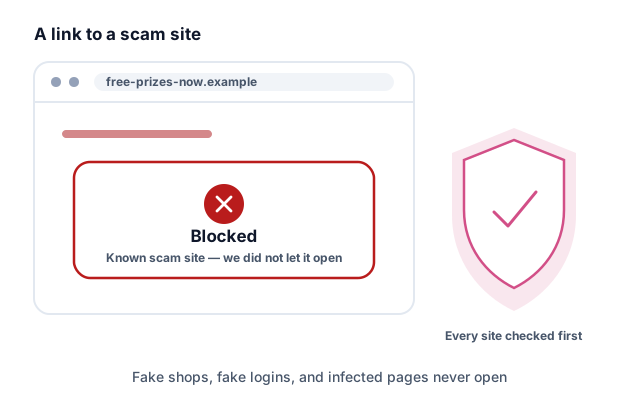
Every site is checked before the page loads, so a bad link is a dead end instead of an incident.
- Fake shops and fake sign-in pages get blocked
- Pages known to carry malware never load
- Works in every browser on the computer
We keep scam emails out
Phishing emails and infected attachments get caught before anyone opens them.
- Attachments are opened in a sandbox first, so nothing runs on your computer
- Links are re-checked at the moment someone clicks them
- Your team gets safe practice spotting scams
Needs a business mailbox on your own domain — Microsoft 365 or Google Workspace. Free consumer accounts (@gmail.com, @yahoo.com, @outlook.com) cannot be protected: those providers do not hand out the access a security tool would need. Everything else on this page works either way.

Maintenance
We keep your computers updated
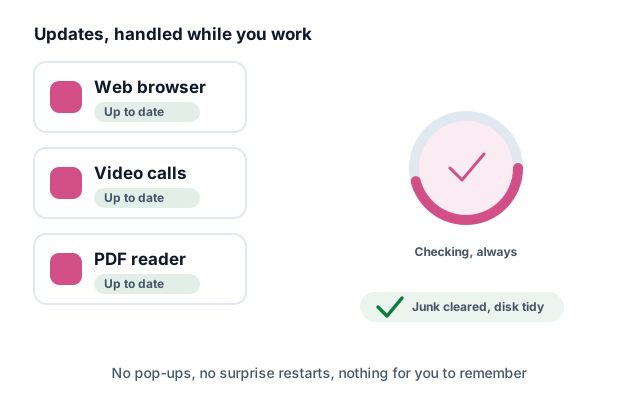
Apps stay current and your computer stays tidy, without you lifting a finger.
- Chrome, Zoom, Adobe, and more stay updated on their own
- Your disk gets cleaned up on a schedule
- Windows, macOS, and Linux computers, all covered
Backup
Your files come back
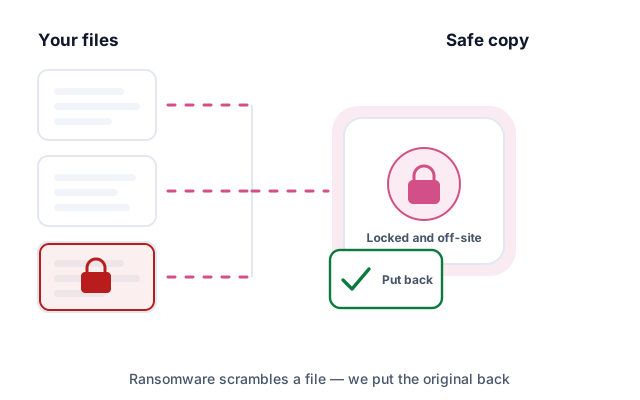
Your files back up automatically. If ransomware hits, we put them back the way they were.
- Backups are encrypted before they leave the computer
- Ransomware damage gets undone automatically
- Restores run from one screen — no one drives to your machine
Remote help
A real person, when you want one
The app can hand a session to a technician in the US who takes control and fixes the problem while you watch. Two different things travel over that same connection, and they are priced differently.
- Help with CloudCastle is included — installing it, or anything in the app misbehaving, at no extra cost on any active plan
- Help with your computer is an add-on — everyday tech support for the machine itself is part of our managed service, quoted on top of your plan
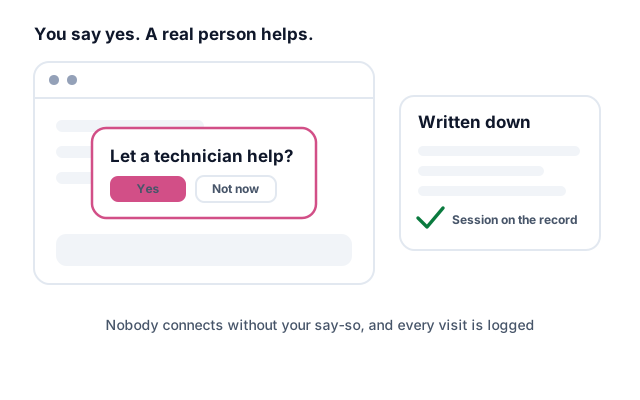
- Nobody connects until you say yes, and a written record shows exactly what happened
The record
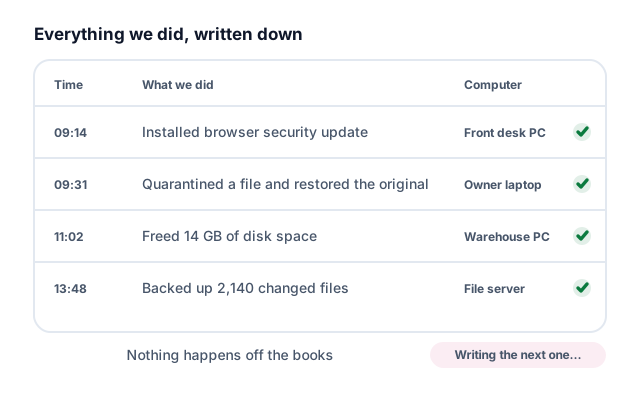
Everything we did, written down
Every fix the AI carries out is logged with the time, what changed, and which computer it happened on.
- Nothing runs off the books, including anything automatic
- You can read back exactly what was changed and when
- Providers can export the record per client
For providers
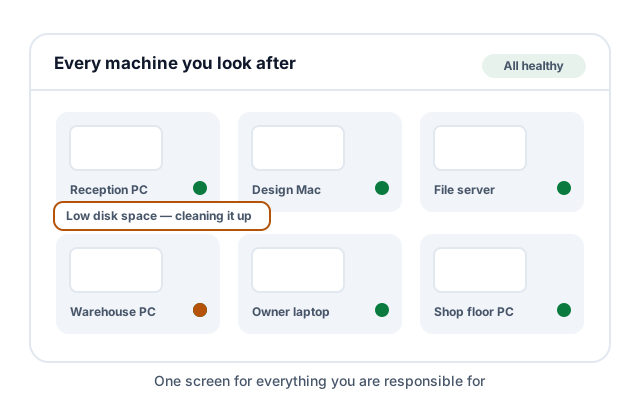
One screen for every client
Every client you look after in one place, each kept separate from the others.
- Each client stays its own isolated organization, with its own data
- Set a policy once, apply it to every client, override it per site
- Find software your clients installed without telling you
For providers
Just tell it what to do
Type an instruction in plain English. For example: “deploy Slack to all sales machines and close port 22.” CloudCastle runs it.
- Plain English in, no scripting needed
- You check the plan before it runs
- A written record shows what happened after

What's included
Every package, side by side
Three packages, three levels each. A level always includes everything below it.
For IT providers and larger teams
The technical detail
If you run other people's computers for a living, here is what you are actually getting.
Multi-tenant by design
Each client is an isolated organization with its own devices, sites, tickets and data. Operator accounts are invite-only and role-scoped, and API keys are scoped the same way. Sign in with Google, Microsoft, GitHub or Okta.
Policy inheritance
Set a policy pack once at the partner level and it applies to every client, with per-client overrides where a site needs something different. Patch state and configuration drift are reported back on each agent check-in.
Discovery and vulnerabilities
Network discovery maps each client site and surfaces software nobody told you about. Vulnerability and patch status is tracked per device, so you can see what is exposed without running a separate scanner.
Natural-language operations
Describe the change in plain English, review the generated plan, then apply it across clients. Every action is gated on operator approval and an allowlisted playbook — the model cannot invent a command of its own.
It fits your stack
Signed webhook events fire on the events you subscribe to, and tickets push outward to your PSA. Ticketing, time tracking, quotes and invoicing are built in if you would rather not run a second tool.
Your brand, your subdomain
Run the console on your own subdomain with your logo, product name and accent color. Monthly client reports are generated from real device data rather than a questionnaire.
Backup that pools
Encrypted backup is pooled across the whole partner organization at 150 GB per device, so quiet computers lend headroom to busy ones. Disaster-recovery restore nodes are available per client.
Audit and compliance
Every operator action and every automated one lands in an audit log you can export per client. SOC 2 and HIPAA control reports are generated from live device state.
Cross-platform agents
One agent covers Windows, macOS and Linux, with per-platform installers you can hand to a client or push from the console. Remote sessions run peer-to-peer, so screen data does not pass through us.
Managed for you
Want CloudCastle to manage your systems?
Everything on this page can be run by us instead of by you. An American technician oversees your computers, reviews what the AI did, and takes over anything it cannot finish on its own.
An add-on to any plan, for one computer or a thousand, quoted on top of your plan price — or, if a local provider suits you better, we introduce you to a partner who can take you on. Tickets are worked 10 AM–6 PM Central, Monday through Friday, and you book live sessions for a time you choose. Help with CloudCastle itself is included free on every plan.
Try it on one computer first
Start the Home trial and add a computer in a few minutes. Or bring us your team — we'll size it on a call.