
Pricing
Pick a track. Pick a level.
One app for security, backups, and IT help.
Three tracks, three levels
Home, Small Business, Enterprise / MSP
Every plan uses the same app.
Backup space is shared across all your computers.
Backup space at this size: —
Prices are quoted on a short call — tell us how many devices you have.
Managed for you
Want CloudCastle to manage your systems?
Plenty of people would rather not run any of this themselves. An American technician can watch your computers for you and pick up whatever the AI cannot — a machine that needs rebuilding, a fix that needs a judgment call, or a person who just wants someone to talk to.
We quote it ourselves once we know what you run. If your setup is a better fit for someone local, we will introduce you to a partner provider who can take you on instead.
An add-on to any plan, for one computer or a thousand, quoted on top of your plan price — the tiers above do not include it. Tickets are worked 10 AM–6 PM Central, Monday through Friday, and you can book a live session for a time that suits you. Help with CloudCastle itself stays free either way.
In every plan
What the price always covers
These come with every plan.
A record of every fix
Every fix gets logged automatically.
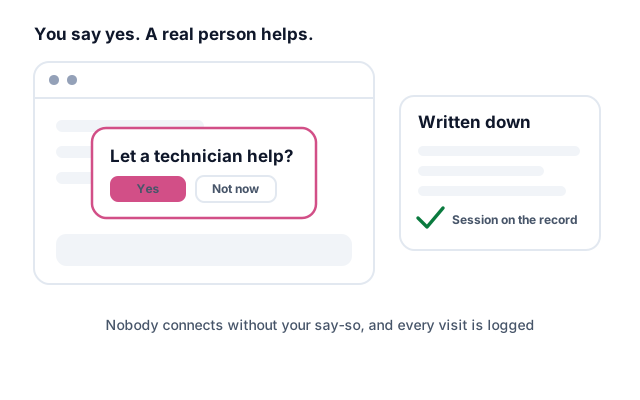
Nothing risky happens without you
Small fixes run on their own. Anything bigger waits for you to say yes.
Built and run in the US
Our technicians are in the United States, and the AI runs on American models.
Before you buy
Questions people actually ask
How is this different from the antivirus we already have?
Older tools match threats against a list of ones already known, then wait for a person to clean up. CloudCastle watches how software behaves, so it catches attacks nobody has named yet — and then it fixes the problem itself and writes down what it changed.
The same AI keeps the machine healthy the rest of the time: updates, disk space, settings that drift. One app instead of an antivirus, a patch tool, a backup tool, and a person to run all three.
Will email protection work with my Gmail or Outlook.com address?
Not a free consumer account, no. Email protection needs a business mailbox on a domain you own — Microsoft 365 or Google Workspace. So you@yourcompany.com works; you@gmail.com, @yahoo.com and @outlook.com do not.
The reason is on their side, not ours: those providers do not give a security tool the access it would need to inspect mail in a personal account. If you are on a consumer address today, moving to a business mailbox on your own domain is usually quick, and we can point you at how.
Everything else — attack protection, updates, backup, remote help — works no matter what email you use.
Is talking to a technician included in the price?
It depends which kind of help you mean, so here is the line between them.
Help with CloudCastle is included on every plan, at no extra cost. If you cannot get the app installed, or something in it is not working right, that is product support and you never pay more for it.
Help with your computer is an add-on. Everyday tech support — a printer that will not print, email that stopped working, a new machine to set up — is on-demand support from a human technician. That is part of our managed service and is quoted on top of your plan, so it is not in the base price of any tier below.
Can you just manage it for us?
Yes, as an add-on to any plan. An American technician oversees your computers, reviews what the AI did, and handles what it cannot finish — including the everyday tech support above. You keep the same plan and the same app; you just stop being the one watching it.
We work out the price once we know what you run — it is quoted separately from the tiers on this page. If a local provider is a better fit for you, we will introduce you to a partner who can take you on instead of selling you something that does not suit. Contact sales and we will sort out which it is.
What hours are you open, and can I book a time?
Tickets are worked 10 AM to 6 PM Central, Monday through Friday. Write in whenever you like — anything that lands outside those hours gets picked up the next working morning.
For live help you pick the slot. Send us the date and a time inside those hours and we confirm it by email. Book live help has a template that covers everything we need. Booking yourself straight into a calendar is coming later; email is the way to lock in a time today.
What the trial includes
Every Home feature, free for 14 days. Cancel before day 14 and pay nothing.
What happens if you stop paying
You can't add devices, but everything running keeps working. Pay the bill and downloads turn back on.
Moving from Home to Business
Just tell us. We move your account to Business with no reinstall and no lost history.
How billing works
Plans bill monthly through Stripe, so we never see your card. Business and MSP can be invoiced instead.
Tell us how many devices you look after
Start your Home trial now, or talk to us.